
Choose the source and historical date
Start with the source and date required by the accounting rule, tax instruction, policy, contract, or reviewer. Then choose the supported dataset that represents that source publication.
See which published rate applies
Check the selected date against the dataset. If the source did not publish a rate that day, the account search may show nearby available dates. Use another date only when it fits the rule or instruction governing the record.
Keep the source, date, and rate context together
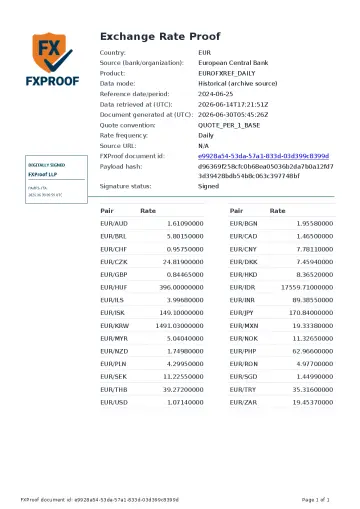
When the bundle is ready, attach the signed proof to the historical accounting, tax, audit, client, or control file that used the rate. The proof contains its source and rate context, document id, payload hash, digital signature, and verification information.
- Keep the PDF with the record that used the historical rate.
- Use optional source files for extra context when they are available.
- Keep the calculation, policy choice, and professional conclusion in the business file.
Share a signed proof with a reviewer
The reviewer can inspect the proof without your account. The document itself shows the verification details needed to check the document id and payload hash on the public check page.
Understand dates without a published rate
A source may not publish rates on weekends, holidays, or other dates. Rate availability and proof-bundle readiness are separate, so a published rate does not by itself mean that a signed proof is ready.
Check what the proof does and does not establish
The proof records the supported source, selected date, rate context, and FXProof verification details. It does not choose the date or accounting treatment, prove a bank transaction rate, replace professional advice, or guarantee acceptance by a recipient.
No rate on the selected date
See what to keep when the requested date is a weekend, holiday, or another day without a published observation.
See how to document a weekend dateYear-end close support
Keep separate proof records when close files use historical dates, closing observations, and reviewer-selected comparisons.
Open year-end use caseAudit hand-off
Give the reviewer the workpaper, source/date reasoning, and signed proof instead of asking them to rebuild the trail.
Review the audit hand-offQuestions
Can I get proof for a specific past date?
You can check a supported dataset and date. A signed proof PDF is available only when the proof bundle for that concrete dataset and date is ready.
What happens if the selected date has no ready proof bundle?
The account workflow can show nearby ready dates or explain that generation is still in progress. A rate value alone does not mean the proof bundle is ready.
Do I need to save the document id and payload hash separately?
No. They are shown in the Signed FXProof Proof PDF. Keep that PDF with the historical file it supports.