Verifiable exchange-rate evidence for business records

Keep source attribution, selected date, document id, payload hash, and public verification together.

See the evidence before you use it

See what an exchange-rate proof gives to the next reviewer

These public examples show how a supported official source, selected date, rate context, signed document, and verification details appear in one evidence package. Use them to judge whether the format fits an invoice, expense, accounting record, tax file, audit workpaper, internal review, or dispute file.

How to read a sample

Look for the proof details a recipient will check later

The sample cards below point to PDF files and source material prepared for the public example set. Read the fields in this order before deciding whether the format fits your record.

  1. 1. Official source

    The source name on each row identifies the official reference input. FXProof records that source; it does not become the publisher of the rate.

  2. 2. Selected date and rate context

    The sample shows which date and rate context were recorded. That context matters when the proof is kept beside an invoice, expense, accounting entry, tax file, or review note.

  3. 3. Document id and payload hash

    The document id gives the proof a stable reference. The payload hash identifies the recorded proof data that the public check compares later.

  4. 4. Embedded digital signature

    The digital signature belongs to the PDF document. Use Adobe Acrobat Reader or Acrobat to inspect it because browser PDF viewers may hide the signature panel.

  5. 5. Public verification

    When a validated sample check exists, its link appears below the matching card. The public page checks document id and payload hash; it does not need a sender account.

  6. 6. Static sample boundary

    A static sample shows the proof format. It is not a promise that any arbitrary source and date already has a live proof bundle.

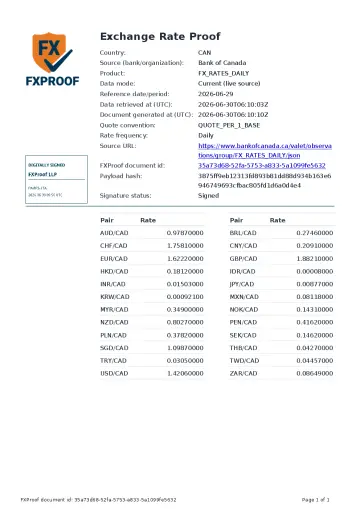
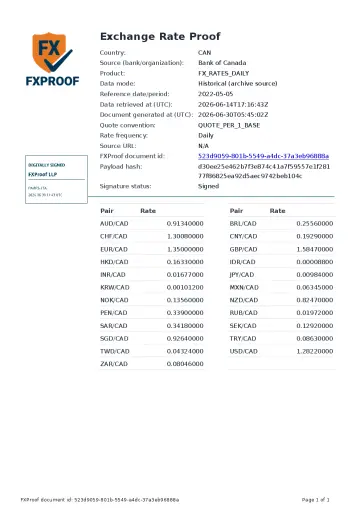
boc

Bank of Canada

Imagine Bank of Canada data was selected for an invoice, expense, accounting entry, tax file, or review. The source name and document date identify the reference input. The rate context appears inside the proof, and the document id, payload hash, digital signature, and public check details show how a recipient can inspect it later. The example does not support your own record, prove a bank transaction rate, choose the applicable rule, or guarantee acceptance.

PDF signature: open the downloaded file in Adobe Acrobat Reader or Acrobat. Browser PDF viewers may hide the signature panel.
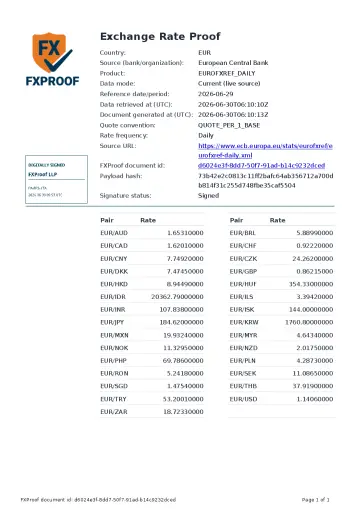
ecb

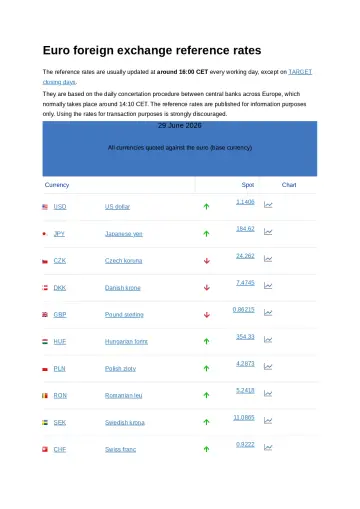
European Central Bank

Imagine European Central Bank data was selected for an invoice, expense, accounting entry, tax file, or review. The source name and document date identify the reference input. The rate context appears inside the proof, and the document id, payload hash, digital signature, and public check details show how a recipient can inspect it later. The example does not support your own record, prove a bank transaction rate, choose the applicable rule, or guarantee acceptance.

PDF signature: open the downloaded file in Adobe Acrobat Reader or Acrobat. Browser PDF viewers may hide the signature panel.
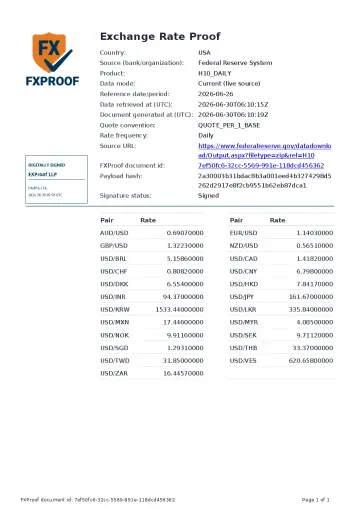
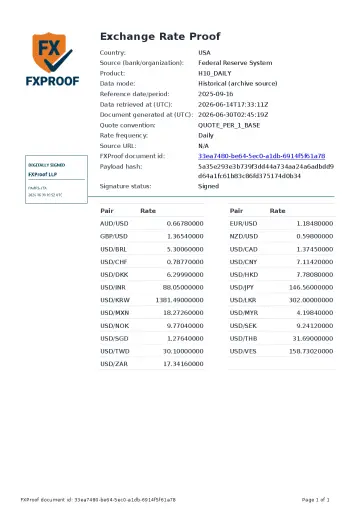
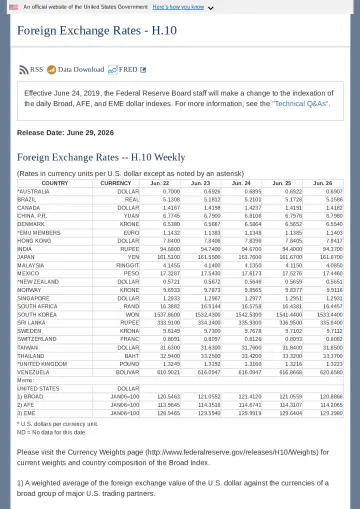
fed

Federal Reserve System

Imagine Federal Reserve System data was selected for an invoice, expense, accounting entry, tax file, or review. The source name and document date identify the reference input. The rate context appears inside the proof, and the document id, payload hash, digital signature, and public check details show how a recipient can inspect it later. The example does not support your own record, prove a bank transaction rate, choose the applicable rule, or guarantee acceptance.

PDF signature: open the downloaded file in Adobe Acrobat Reader or Acrobat. Browser PDF viewers may hide the signature panel.
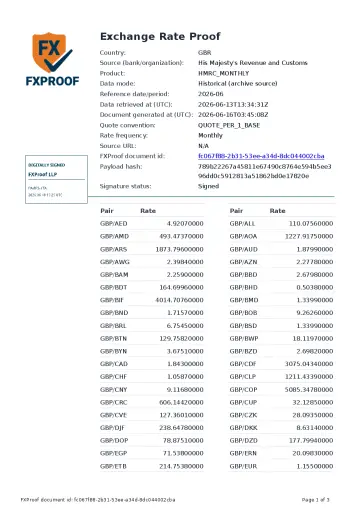
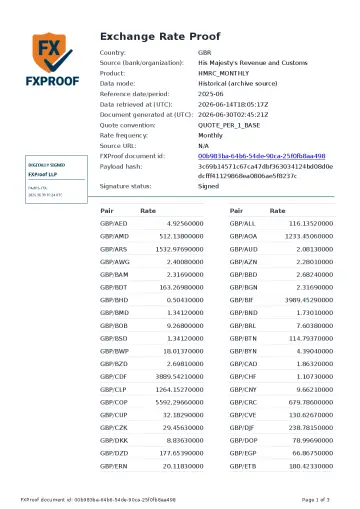
hmrc

His Majesty's Revenue and Customs

Imagine His Majesty's Revenue and Customs data was selected for an invoice, expense, accounting entry, tax file, or review. The source name and document date identify the reference input. The rate context appears inside the proof, and the document id, payload hash, digital signature, and public check details show how a recipient can inspect it later. The example does not support your own record, prove a bank transaction rate, choose the applicable rule, or guarantee acceptance.

PDF signature: open the downloaded file in Adobe Acrobat Reader or Acrobat. Browser PDF viewers may hide the signature panel.
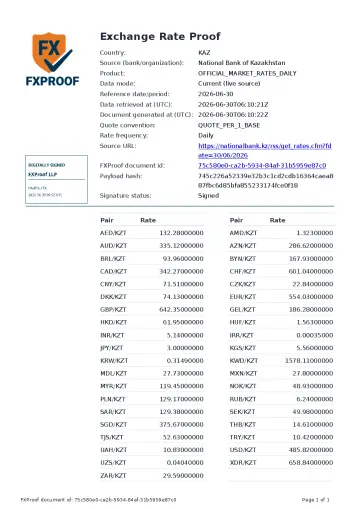
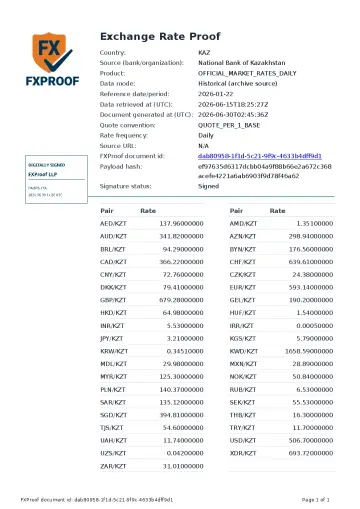
nbk

National Bank of Kazakhstan

Imagine National Bank of Kazakhstan data was selected for an invoice, expense, accounting entry, tax file, or review. The source name and document date identify the reference input. The rate context appears inside the proof, and the document id, payload hash, digital signature, and public check details show how a recipient can inspect it later. The example does not support your own record, prove a bank transaction rate, choose the applicable rule, or guarantee acceptance.

PDF signature: open the downloaded file in Adobe Acrobat Reader or Acrobat. Browser PDF viewers may hide the signature panel.
What these examples prove

The examples show the FXProof format and verification fields. They do not support your own business record and are not live proof bundles. A live bundle is tied to the source, dataset, and date you selected and can be opened only when a matching ready proof exists. See what the signed proof PDF contains.

From sample to your own proof workflow

  1. 1. Start with your record. Decide which source and date the calculation requires.
  2. 2. Inspect a sample. Check whether the proof answers the questions a reviewer may ask.
  3. 3. Find a ready proof. Use an account only when you have a real source and date to document.

Need a proof for your own record?

Create an account when you know the official source and date you need to document. Search for a ready proof, open the bundle, and keep the signed document with the business record.

Start free