Keep the transaction record first
Keep the receipt, invoice, card statement, or payment-provider record that shows what was paid. That record, not FXProof, supports the conversion and fees actually applied to the transaction.
Use the reference rate only when the workflow calls for it
The Bank of Canada publishes indicative daily average exchange rates against the Canadian dollar. If the expense policy or accounting method calls for that reference rate, select the supported dataset and date and confirm that the proof bundle is ready.
Attach the proof to the expense calculation
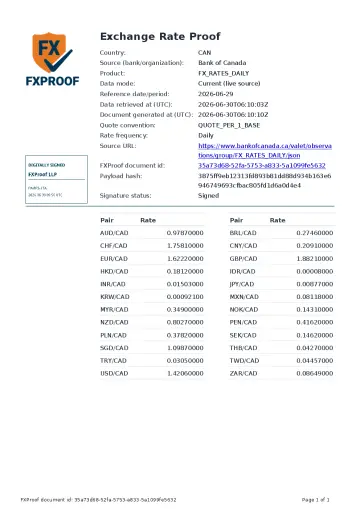
The Signed FXProof Proof PDF keeps the Bank of Canada attribution, selected date, rate context, signature, document id, payload hash, and verification details together. Attach it to the expense or reimbursement record that used the reference rate.
Keep approval and acceptance outside the proof
FXProof is not affiliated with or endorsed by the Bank of Canada. The proof does not approve the expense, replace the bank record, or decide whether a policy or recipient accepts the calculation.
Bank of Canada source and date
Review the supported daily-rate source, date readiness, and non-affiliation note.
Open Bank of Canada source pageSee the document
Inspect the static Bank of Canada proof sample and its verification fields.
View Bank of Canada sampleExpense workflow
See how the receipt, reference-rate proof, and approval context stay separate.
Open expense use caseCanadian tax workpaper
Keep the source/date proof beside the tax record selected by the file owner, without claiming universal CRA acceptance.
Open tax use caseBank rate or reference rate?
Choose the evidence type based on whether the file asks what was charged or which reference rate was used.
Read the rate decision guideQuestions
Does this proof show the rate charged by my card or bank?
No. Keep the card, bank, or payment-provider record for the actual transaction rate and fees.
When does the Bank of Canada proof belong in the expense file?
Use it when the expense policy or accounting calculation calls for a supported Bank of Canada reference rate.
Does FXProof approve the expense?
No. FXProof documents the selected reference-rate evidence. Approval remains in the organization's expense workflow.